> ## Documentation Index
> Fetch the complete documentation index at: https://docs.linkio.world/llms.txt
> Use this file to discover all available pages before exploring further.
# Setup
> To set up webhooks URL on your Bridge account, follow the steps below:
1. Ensure you already have access to Bridge. If you don’t, head over to [Bridge](https://app.linkio.world/signin) and create one.
2. **Navigate to the developer page** on the side bar panel
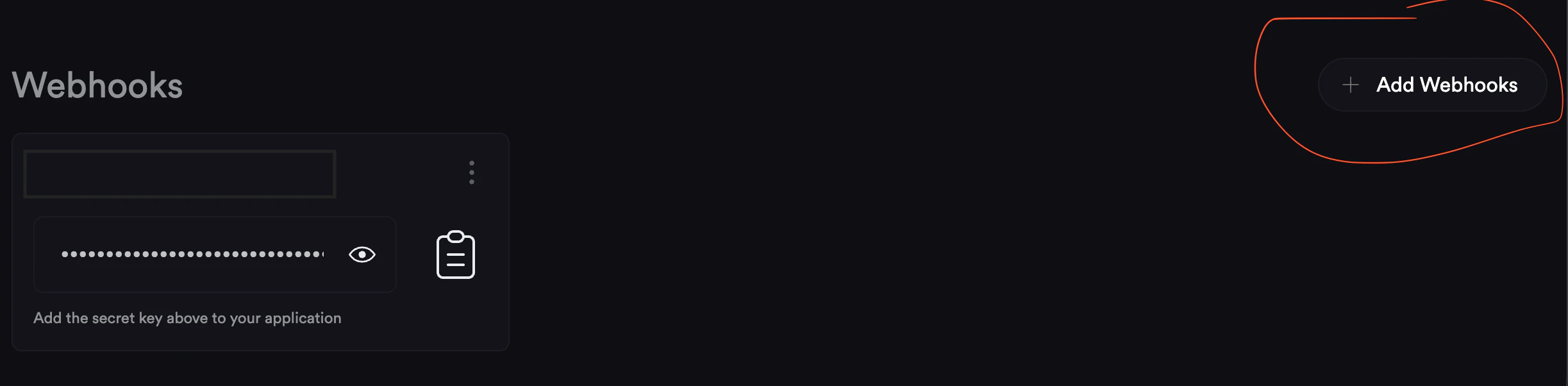
3. **Add Webhooks:** Click the “Add Webhook” button to create a new webhook
 4. **Webhook details:** input your webhook URL in the input field to receive live webhook events.
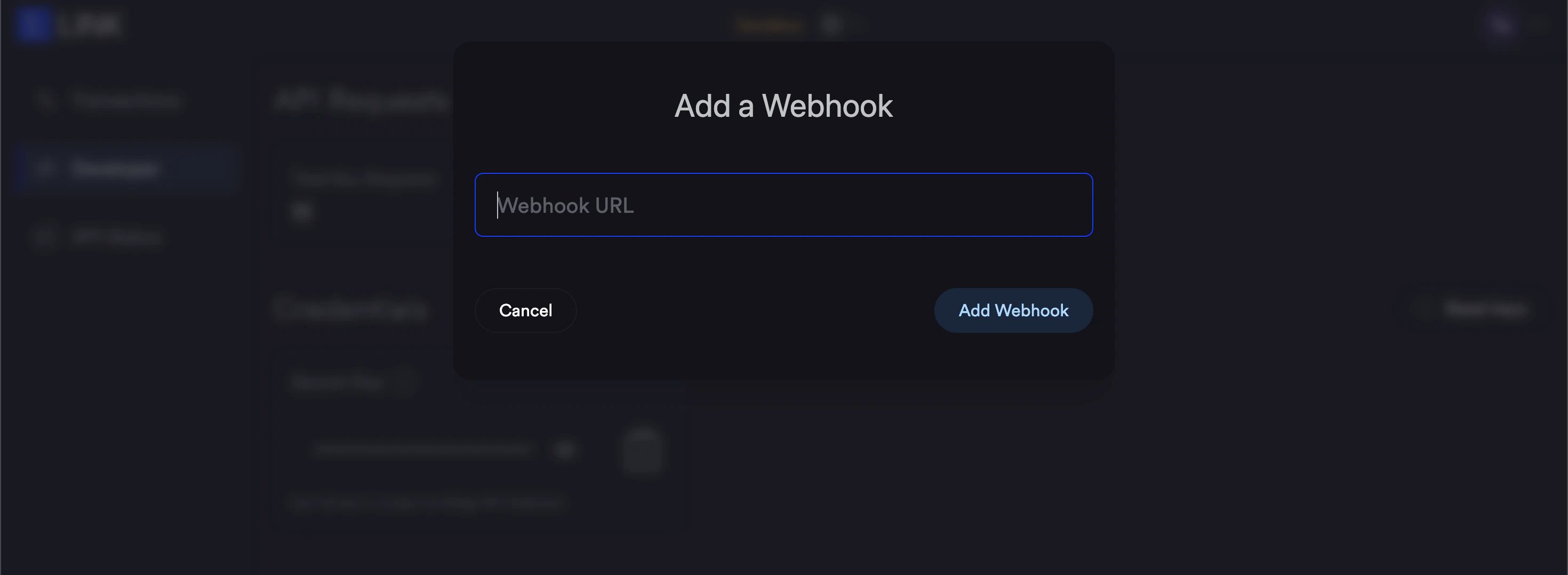 ### NOTE: Your URL must end with "/webhook".
***
[Webhooks](/docs/webhooks)
[Request](/docs/request)
### NOTE: Your URL must end with "/webhook".
***
[Webhooks](/docs/webhooks)
[Request](/docs/request)