Jump to Content
LINK Bridge
DocumentationAPI EndpointsDiscussions
LINK Bridge
Documentation
Log In
Jump to Content
LINK Bridge
DocumentationAPI EndpointsDiscussions
Log In
All
Pages
Start typing to search…

INTRODUCTION

  • Build with LINK
  • Overview
  • Platform overview
  • Authentication
  • Webhooks
  • Dashboards

SUPPORT

  • Stablecoins and blockchains
  • Fiat Payment Methods
  • OTC Coverage
  • Geographies
  • First and Third Party Support

GUIDES

  • Multichain Static
  • Static Specific
  • Prefunding
  • Cross-Border FX

RAMP ORCHESTRATION

  • Ramp Overview
  • RETAIL API
    • Multichain Static Details
    • Fees & Minimums for Retail APIs
    • Supported Currency Methods
  • Business API
    • Multichain Static Details
    • Static Specific Details
    • Liquidation Address
    • Prefunded Account
    • Fees & Minimums for B2B APIs
    • Processing Windows
    • Banking Object Requirements
  • Developer Fees

Business

  • Business Verification
  • Compliance
  • Receipts
  • Pricing
  • Customers
    • Customer API

INTEGRATION

  • API Response
  • API Integration
    • Retail On-Ramp
    • Retail Off-Ramp
    • Business Onramp
    • Business Offramp
    • Get Payment vendors
    • Get Payment Banks
    • Get Payment Wallets
    • Get All Transactions
    • Get Transaction
  • FX rates
    • On-ramp Rates
    • Off-ramp Rates
  • Webhooks
    • Setup
    • Request
    • Event

MICS

  • FAQs
  • Support
Powered by 

Widget Integration

The Bridge widget is a drop-in framework that handles on\off ramping. It works with vanilla JavaScript and all major JavaScript frameworks.
Overview

This guide will take you through the necessary steps when Integrating the Bridge App into your software solution.

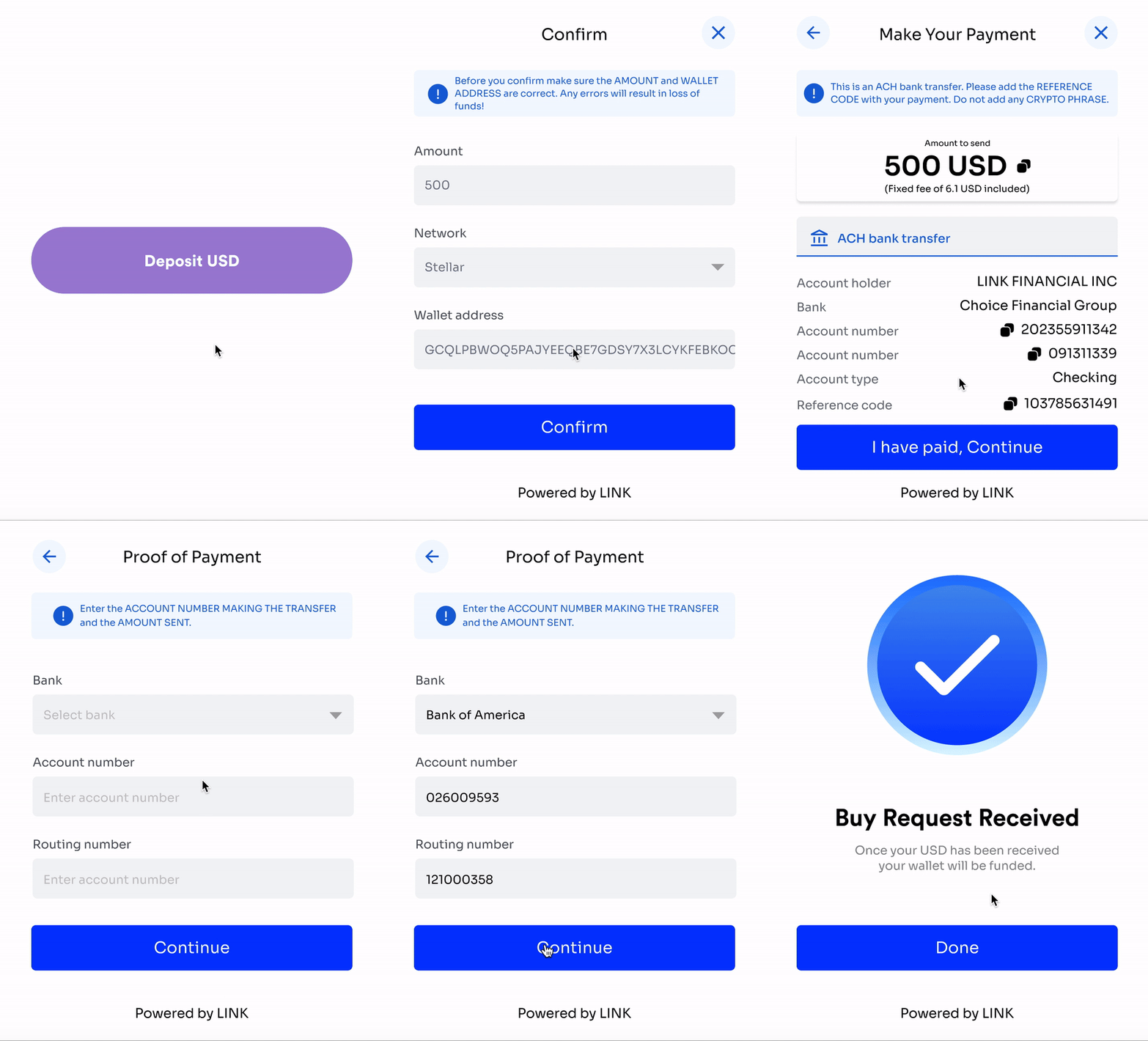
Widget deposit flow

Widget deposit flow

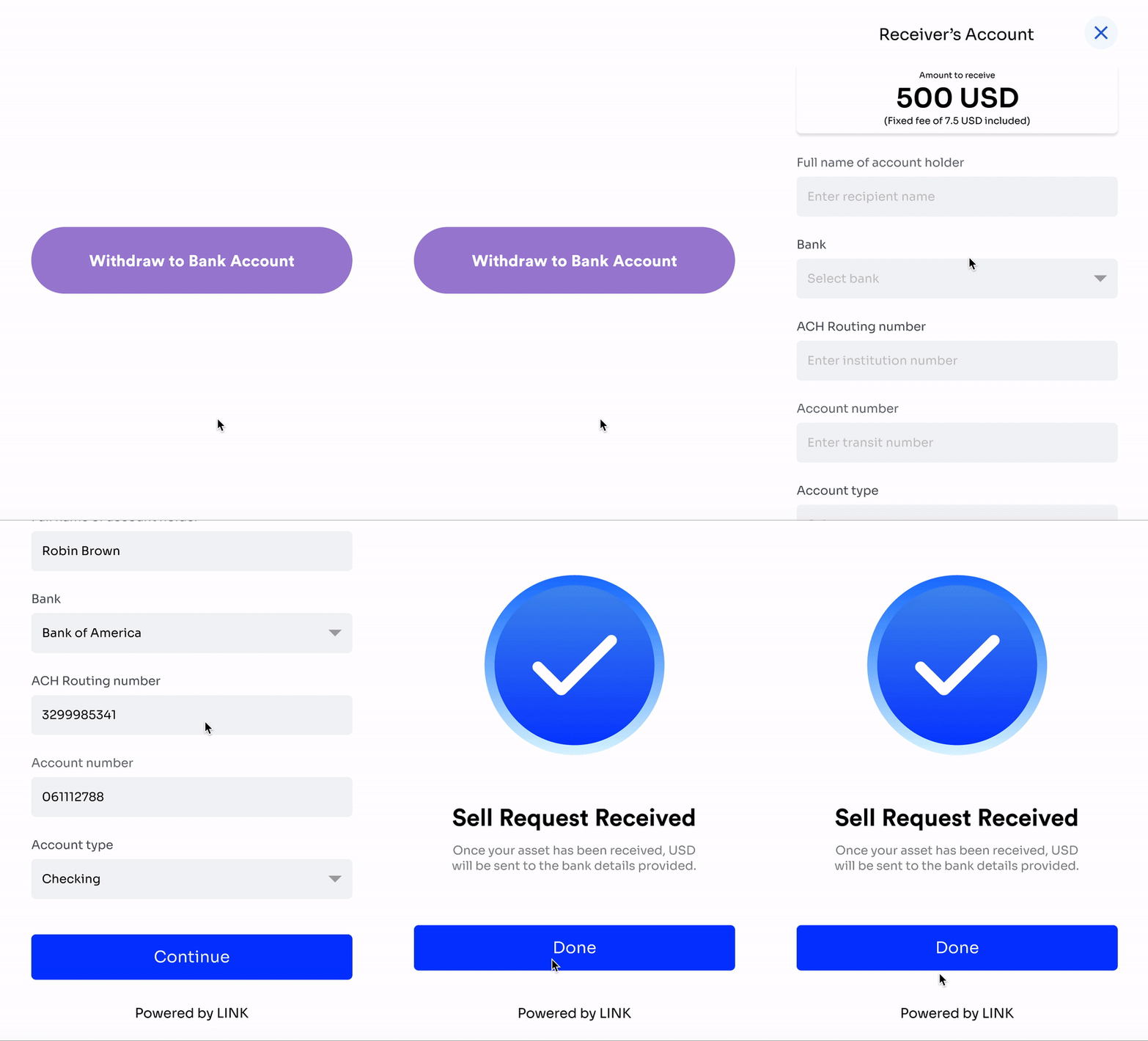
Widget withdrawal flow

Widget withdrawal flow

Updated 6 months ago


Build with LINK
  • Table of Contents
    • Overview